
You can exchange crypto for cash rubles without a card. We prepare the payout, and you withdraw the money at a regular Sberbank or T-Bank ATM in Russia with a one-time QR code. All you need is a phone with Telegram. Here is how it works, step by step, at our exchanger Cryptodot (cryptodot.org).
How a QR withdrawal works
Sberbank and T-Bank ATMs pay out cash without a card when the withdrawal is confirmed with a one-time QR code. You pay for your order and go to the ATM, and the QR code goes through Telegram. We confirm the withdrawal and you take the cash.
The banks differ in who shows the code:
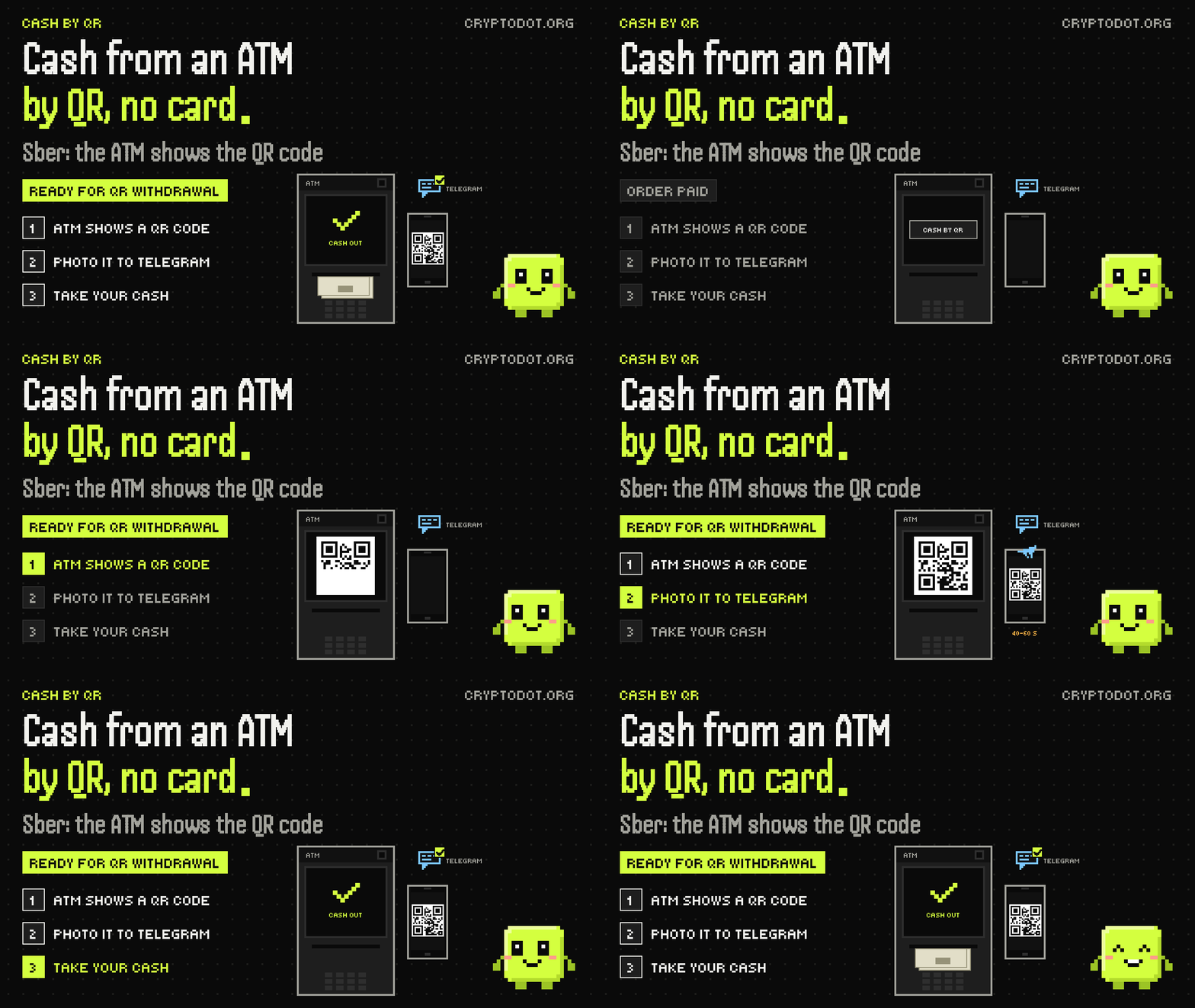
- Sberbank: the QR code appears on the ATM screen. You take a photo and send it to us right away, because the code is only valid for 40 to 60 seconds.
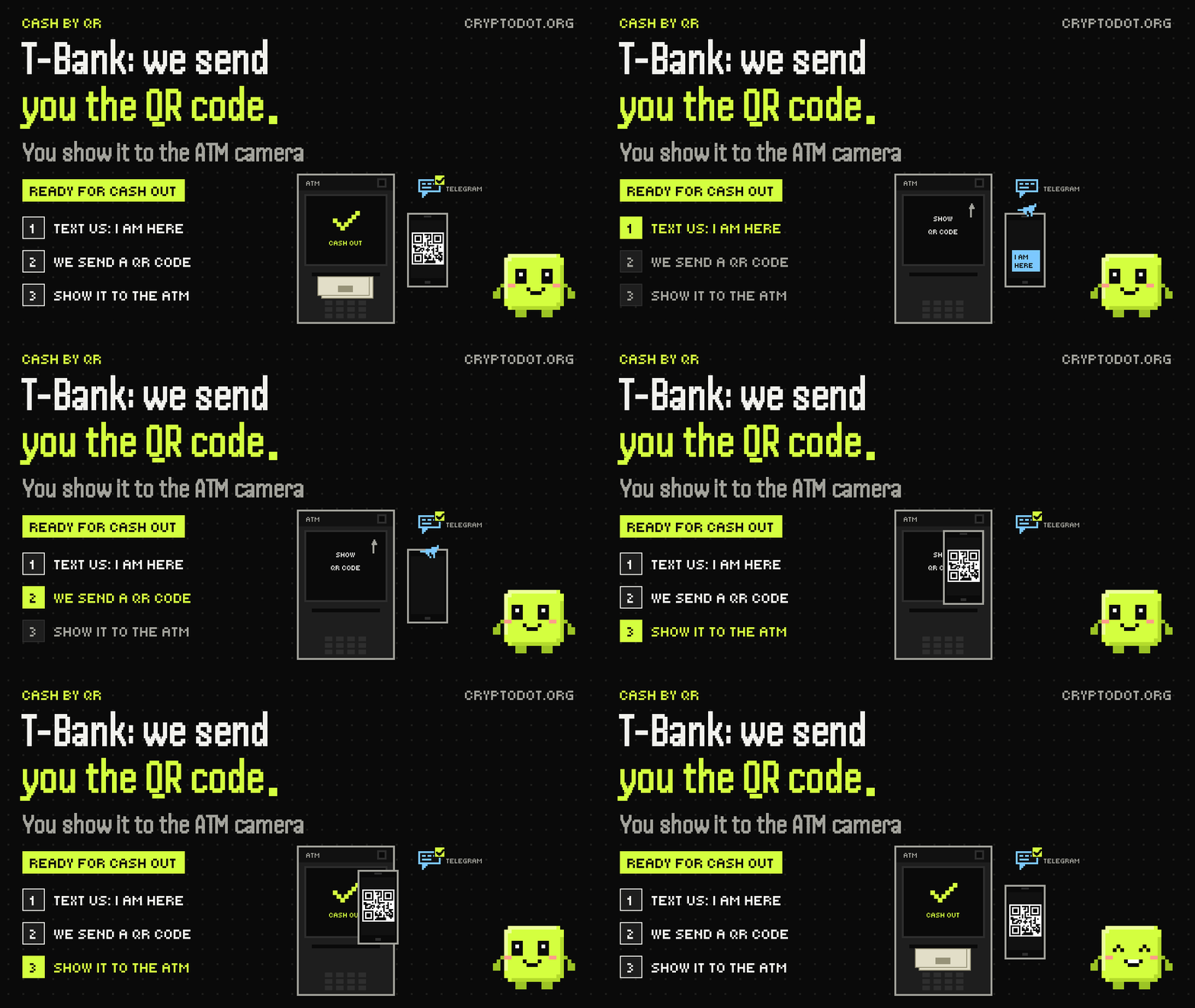
- T-Bank: we send you the QR code once you're standing at the ATM. You show it to the ATM camera.
What you need
- Crypto or e-money. USDT (TRC20, ERC20, BEP20, TON, Solana and other networks) works, and so do BTC, ETH, LTC, SOL and other coins. The exchange form shows what is available right now.
- A phone with Telegram: that's how the QR code gets passed between you and the operator.
- An e-mail address for the order. If you pay with e-money, also the wallet you pay from. No sign-up needed.
How to get cash for crypto at a Sberbank ATM
At Sberbank the ATM shows the QR code and you send us a photo of it.
- 1. Order. In the exchange form, under "You receive", choose "Sberbank QR code" and enter the amount, your e-mail and your Telegram username or phone number.
- 2. Payment. Pay using the details on your order page.
- 3. Ready notice. When the payout is ready, the order status changes to "Ready for QR withdrawal" and you get an e-mail. Don't go to the ATM before that.
- 4. ATM. Go to a Sberbank ATM and choose "Withdraw by QR" («Снять по QR»). A QR code appears on the screen.
- 5. Photo. Take a photo of the code right away and send it to us on Telegram. The code is valid for 40 to 60 seconds, so open the chat with the operator before you get to the ATM.
- 6. Cash. We scan the code and the ATM pays out.
How to get cash for crypto at a T-Bank ATM
At T-Bank we send you the QR code and you show it to the ATM camera.
- 1. Order. In the exchange form, under "You receive", choose "T-Bank QR code" and enter the amount, your e-mail and your Telegram username or phone number.
- 2. Payment. Pay using the details on your order page.
- 3. Ready notice. When the payout is ready, the order status changes to "Ready for QR withdrawal" and you get an e-mail.
- 4. ATM. Go to a T-Bank ATM and tell the operator on Telegram that you're there. They send you a QR code.
- 5. Cash. Show the code to the ATM camera and take your cash.
Rate, limits and banknotes
The exchange form shows the rate and the payout amount before you pay. If you pay in crypto, the rate floats and is locked when your transaction gets the required number of network confirmations, so the payout can change slightly. Each currency has its own limits per order, also shown in the form. Current QR payout rates are on the Cash by QR page.
ATMs pay out banknotes only. If your amount can't be paid out exactly in notes, the operator will sort out the remainder with you in the chat.
For a smooth withdrawal
- Go to the ATM only once your order shows "Ready for QR withdrawal".
- Keep your phone charged and online: the code goes through Telegram.
- Contact us only through the "Message on Telegram" button on your order page. Scammers copy exchangers, so check the site address: how to tell our site from a fake.
- Incoming crypto goes through an AML check, as with every exchange on the site. Our guide to AML checks explains why and how to avoid delays.
FAQ
How do I exchange crypto for cash at an ATM by QR code?
In the exchange form, choose the "Sberbank QR code" or "T-Bank QR code" payout and pay for the order. When the status changes to "Ready for QR withdrawal", go to an ATM of that bank. At Sberbank, send us a photo of the QR code on the screen. At T-Bank, show the ATM camera the code the operator sends you. No card needed.
Can I get cash for USDT without a card?
Yes. Sberbank and T-Bank ATMs pay out cash without a card when the withdrawal is confirmed with a one-time QR code. At Cryptodot, the operator confirms it after you pay for the order, and all you need is a phone with Telegram.
Do I need a Sberbank or T-Bank card or app?
No. The QR code goes through your Telegram chat with the operator, so you need neither a card nor the bank's app.
Why do I have to send the Sberbank code so fast?
The QR code on a Sberbank ATM screen is valid for about 40 to 60 seconds. Open the chat with the operator in advance and send the photo as soon as the code appears. If the code expires, message the operator and start the withdrawal again.
Which crypto can I exchange for cash by QR?
USDT on popular networks (TRC20, ERC20, BEP20, TON, Solana and others), BTC, ETH, LTC, SOL and other coins, plus e-money such as YooMoney and Volet. The exchange form and the table on the Cash by QR page show what is available right now.
What do I need for an order?
An e-mail address and a Telegram username or phone number, plus the wallet you pay from if you pay with e-money. No sign-up needed. Incoming crypto goes through an AML check: if it shows elevated risk, the exchange is paused and we may ask you to confirm where the funds came from.
When should I go to the ATM?
When the order status changes to "Ready for QR withdrawal" and you get an e-mail. Going earlier won't help: until the payout is ready, the withdrawal can't be confirmed.
Can I withdraw cash this way abroad?
Yes, in Thailand and Vietnam, if you're exchanging crypto. In the exchange form, choose "ATM QR code THB" or "ATM QR code VND". The operator will tell you which bank's ATM to use. It's similar to Sberbank, but the ATM menu and the code's lifetime differ: choose cash withdrawal by QR code, photograph the code on the screen and send it to us on Telegram right away, because it's valid only briefly.
What if the ATM didn't give me the cash?
Message the operator right away with the "Message on Telegram" button on your order page: send a photo of the ATM screen and describe what happened. The operator will check the payout on your order and tell you what to do next.